Simplify fault reporting and classification with QR or NFC
Enable fast, license-free fault reporting via QR or NFC, customize forms to capture exactly what you need, and automatically classify issues by device impact.

Fault Reporting Software
Simplify reporting of failures
With QR code or NFC linked to a Web form.
Customize what is shown
Default task names.
Over 10,000 maintenance professionals rank Alldevice #1



Simplify reporting of failures with QR code or NFC linked to a Web form
Fault reporting is now easier than ever. With just a QR code or NFC tag, anyone can report a fault for a specific device using a programmable link. No license required.
Scan the QR code here >
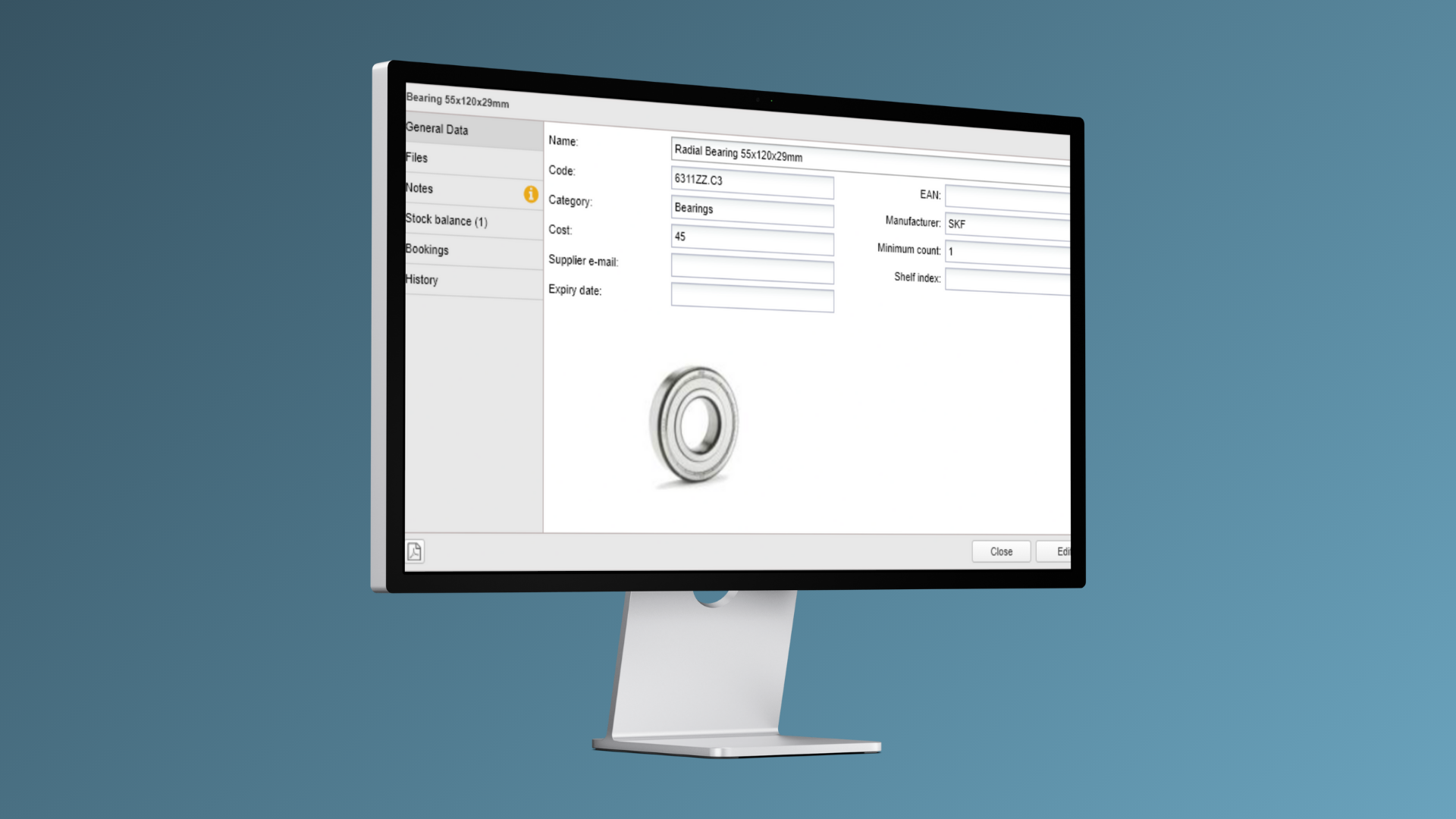
Customize what is shown
Tailor the reporting form to gather essential data: contact details, fault types, a description, and optional files, pictures or video uploads, or for simplicity, you can opt for just a description.
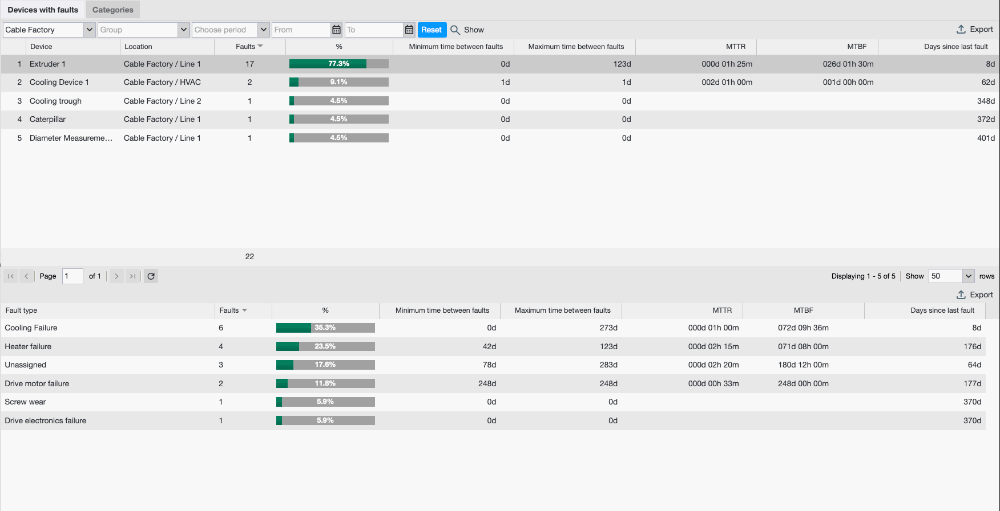
Classify faults by impact
The device’s fault descriptions can be predefined, allowing for the classification of tasks as either extraordinary failures or regular tasks, based on the device’s impact.
Fault Reporting FAQ
What is failure mode and effects analysis (FMEA)?
Failure mode and effects analysis (FMEA) is a way for businesses to analyze business equipment, systems, or processes to identify potential failures. By proactively identifying potential failures through FMEA, businesses can mitigate risks, predict the consequences of failures, and prioritize corrective actions.
What are the 5 steps of the FMEA process?
The process of failure modes and effects analysis (FMEA) consists of the following 5 steps:
- Determining potential failures and their effects
- Assessing the severity of each failure effect
- Evaluating the likelihood of each failure mode occurring
- Detecting failures
- Calculating the risk priority number (RPN) and prioritizing corrective actions.
What is the best tool for failure effects mode analysis?
Alldevice stands out as the best tool for conducting failure effects mode analysis. With its failure analysis feature, Alldevice can pinpoint devices that are causing problems and need attention. Alldevice’s CMMS reporting feature (eg breakdown reports) also provides insight into a variety of maintenance activities. Our CMMS software is the preferred choice of businesses across many EU countries, including Poland, Latvia, Lithuania, and Estonia.
What is FRACAS (Failure Reporting, Analysis, and Corrective Action System)?
FRACAS is a closed-loop process that maintenance staff can use to find and resolve the root cause of equipment failures. The FRACAS framework involves reporting failures, assessing their root causes, and implementing corrective actions to prevent them from recurring. Alldevice CMMS can help businesses implement a FRACAS framework, improving uptime and reliability for different types of equipment.
Does your software offer root cause analysis?
Yes, Alldevice CMMS software allows users to perform failure investigation and root cause analysis. Using our CMMS software, businesses can pinpoint devices that are causing problems, identify root causes, analyze failure data, and determine the necessary corrective actions. By performing root cause analysis techniques with Alldevice, businesses can improve overall equipment reliability. Our root cause analysis software is trusted by businesses in key European markets, including the UK, Germany, Finland, and France.
Does your CMMS provide engineering failure analysis?
Yes, our CMMS includes a failure analysis feature that can assist in engineering failure analysis. With Alldevice, users can perform detailed failure mode and effects analysis (FMEA), conduct root cause analysis, and leverage failure analysis techniques to identify and resolve engineering failures. Our CMMS reports also provide detailed insight into maintenance activities and engineering failures.
Blog
How Epiim Actually Got Their Maintenance to Work
When Epiim launched its new factory in 2023, it was also decided that the entire maintenance of the plant must be digitally managed, auditable and convenient to use in daily work.

Work-Hour Based Maintenance – GlobalReader & Alldevice
Ready to cut downtime and boost efficiency? Let’s talk about bringing work-hour based maintenance to your factory! Effective maintenance is…
Alldevice OÜ Awarded ISO 27001:2022 Certification

From Clutter to Control in the Port of Tallinn

A Brand New Level of Device Maintenance – Kliimakaubamaja
Bring your maintenance
to the next level with
Alldevice CMMS